macSvn Help
 Content
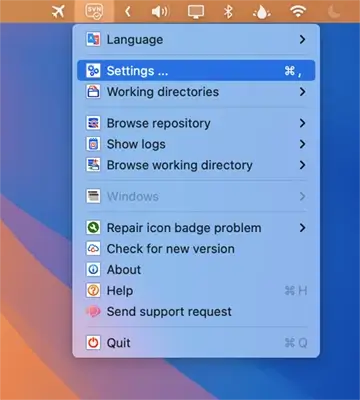
If the Subversion server uses Active Directory (AD) with NTLM (such as VisualSVN), click the "macSvn" icon in the system status bar, execute the "Settings ..." menu item, and open the "Settings" window. Select "Version Control System / Subversion / Servers group" on the left.
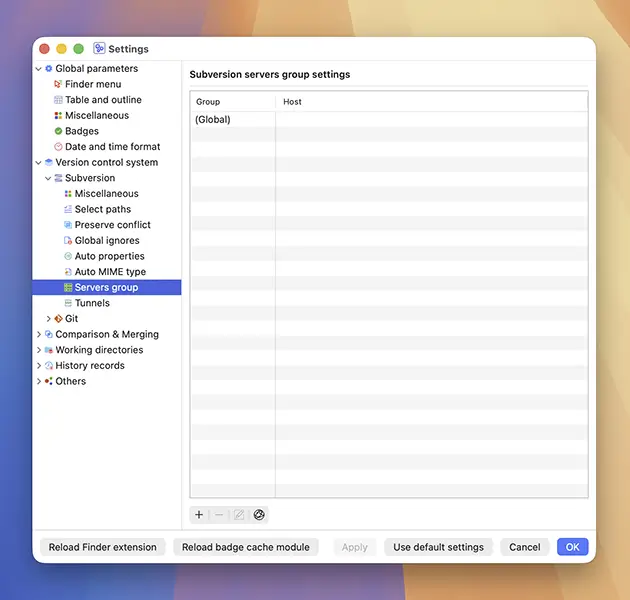
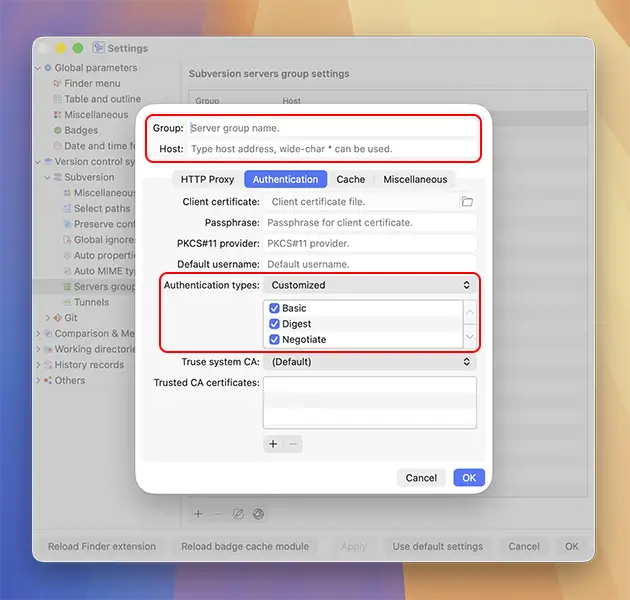
Double-click the "Global" item in the servers group list on the right side of the window, switch to the "Authentication" tab sheet, change the "Authentication type" field to "Customized", and check all three options: "Basic", "Digest", "Negotiate" (ensuring that "Negotiate" is checked). Additionally, you can specify the client certificate, the passphrase for the certificate's private key, the default username, and the trusted server CA certificate.
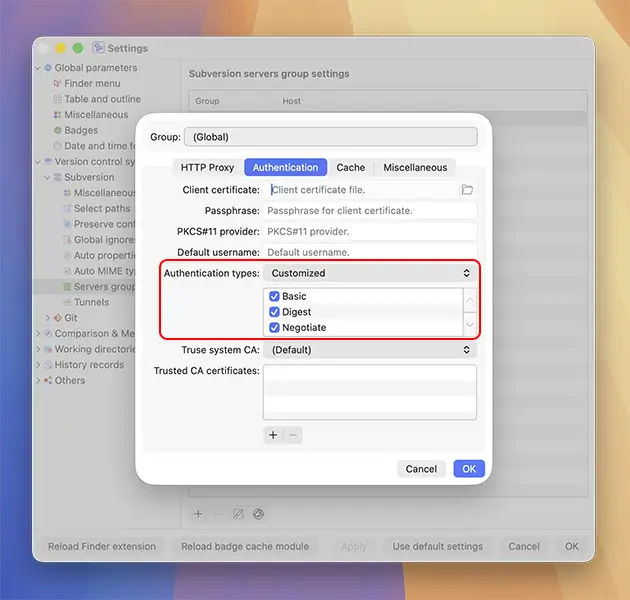
Alternatively, you can create customized settings for this server: click the "Add" icon below the server group list, then enter a group name and your server host in the upper section of the panel that appears. And then switch to the "Authentication" tab sheet, change the "Authentication type" field to "Customized", and check all three options: "Basic", "Digest", "Negotiate" (ensuring that "Negotiate" is checked). Additionally, you can specify the client certificate, the passphrase for the certificate's private key, the default username, and the trusted server CA certificate for this server.